Available on the App Store for iPhone
Defect inspections and
reports on your phone
Record photographs, locations and findings on site, and produce a PDF report from the same record.
The first inspection is free. For residential defect inspections in Malaysia. Android users can join the waiting list.
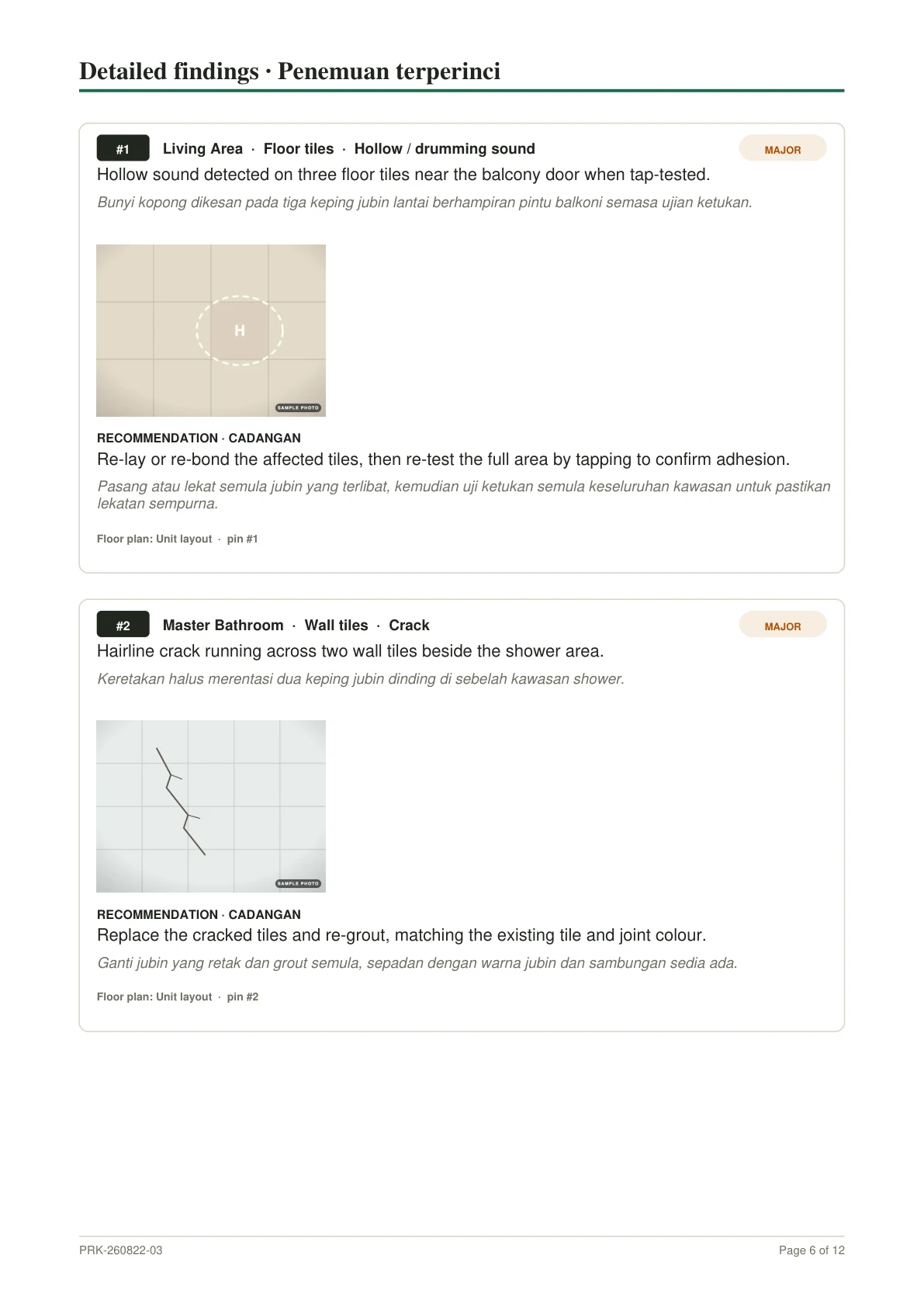
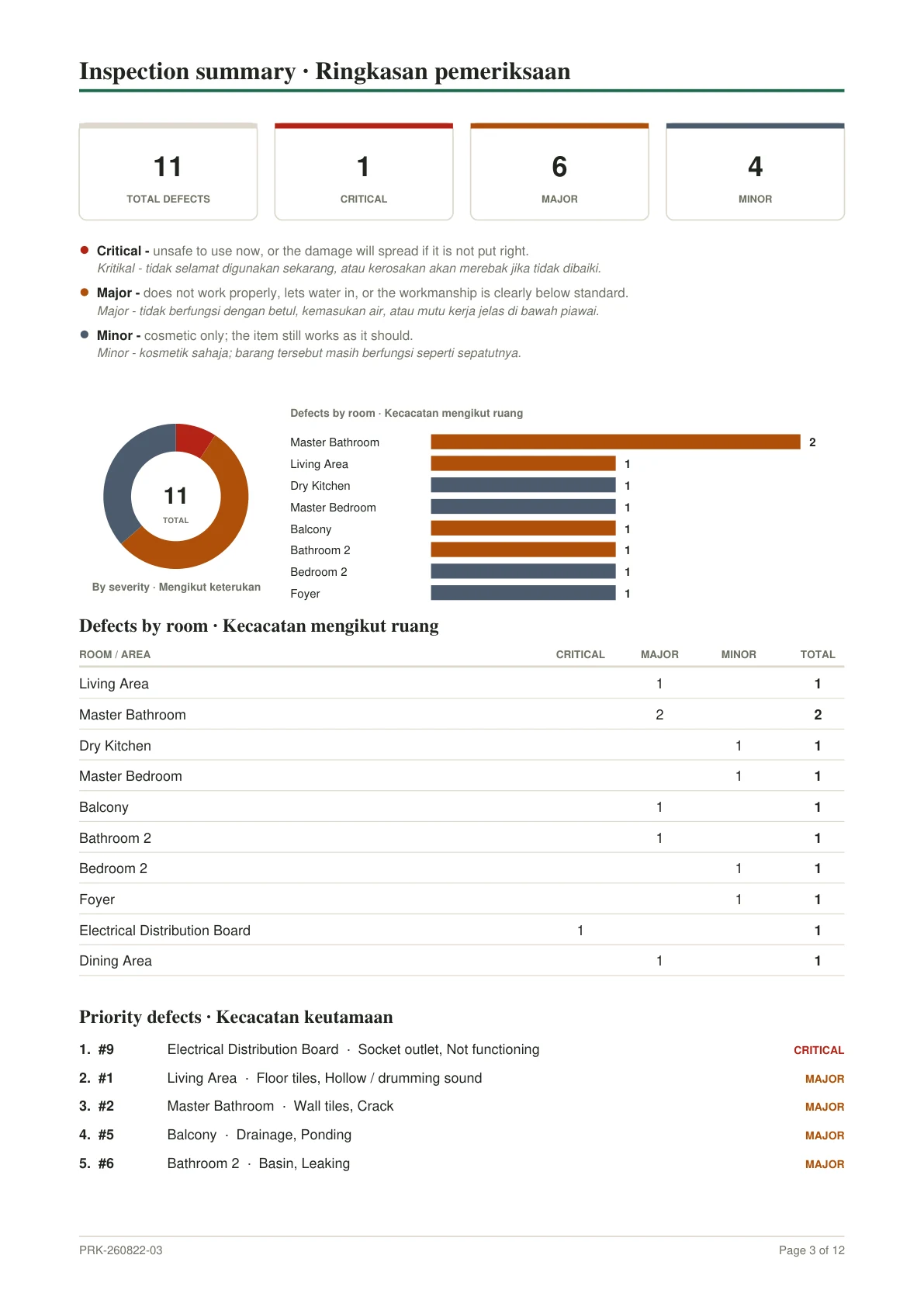
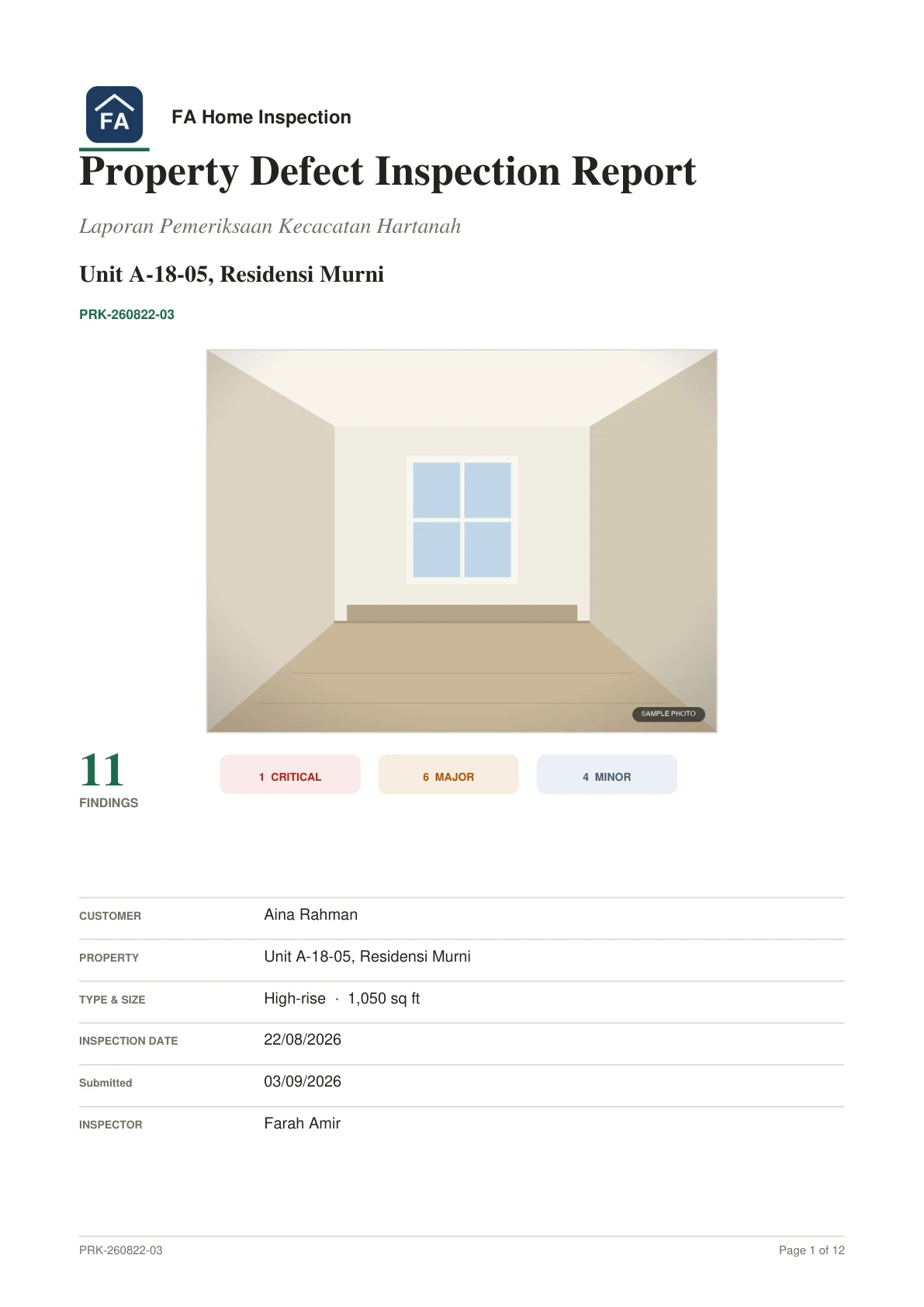
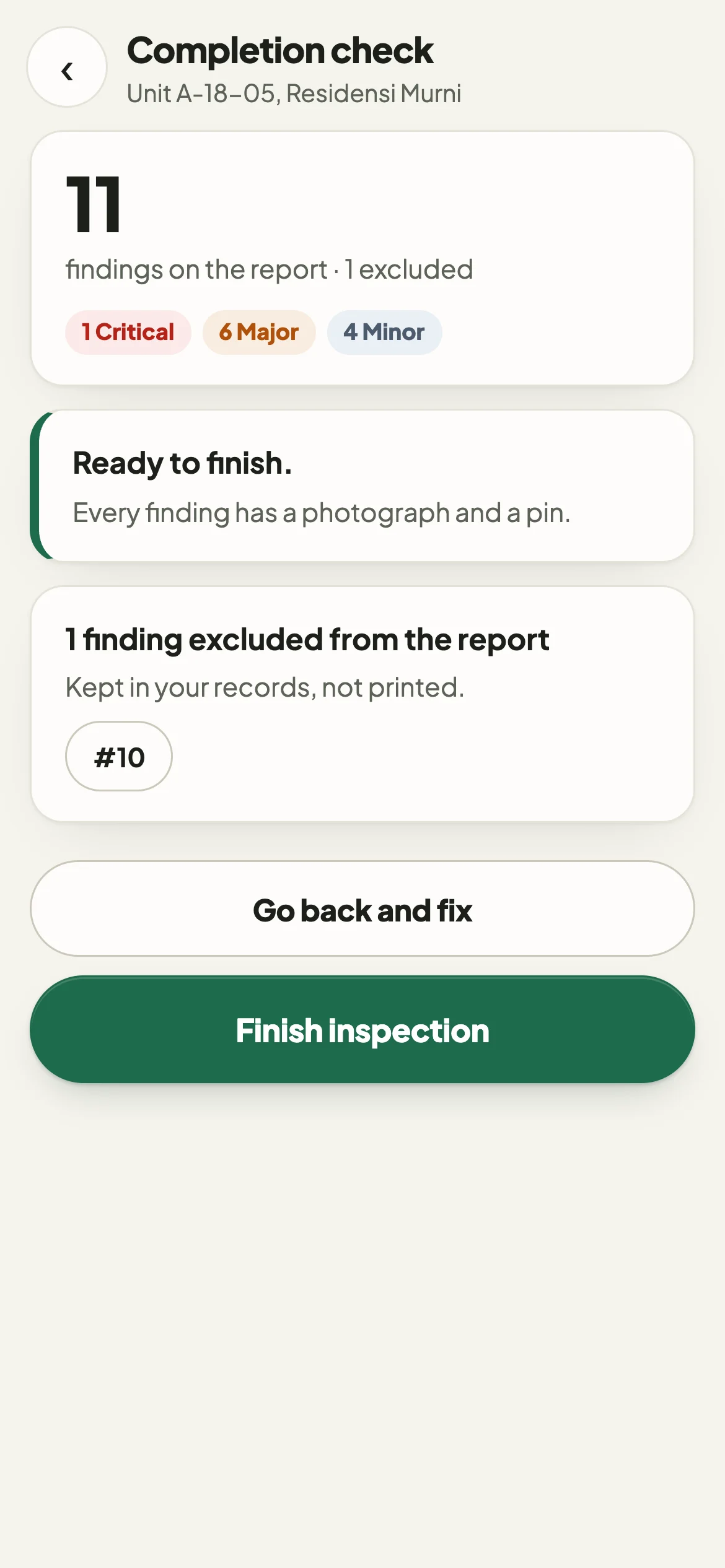
Inspection records are often kept in several places
Photographs are in the camera roll, notes are kept separately, and locations have to be remembered. The report is then put together afterwards.
In Periksa, each finding holds its location, photographs, floor-plan position and wording.
- Camera roll80 photographs with no room names
- Notes"MB wall tile crack nr shower"
- Floor planNo record of which bathroom
- ReportWritten up after the visit
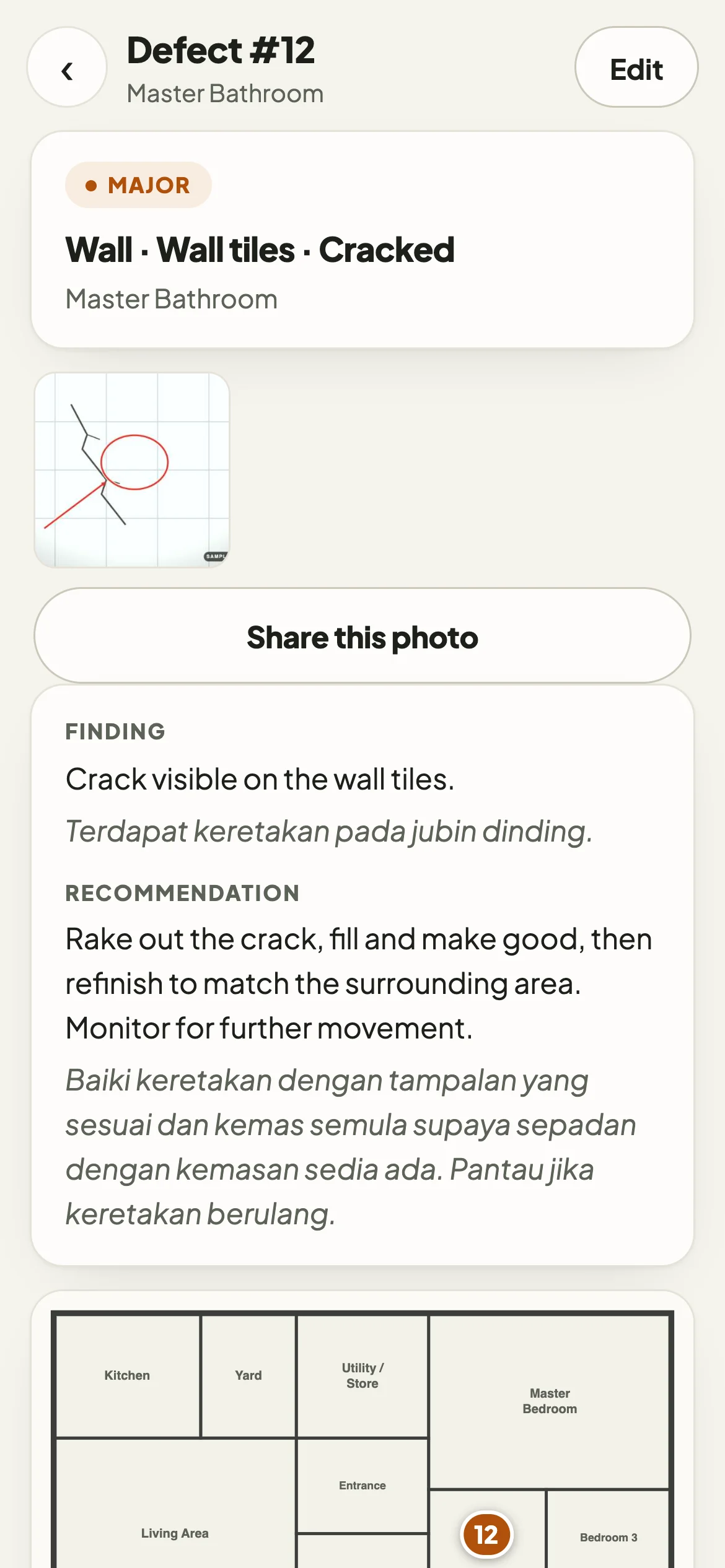
How an inspection works
There are six steps, from choosing the room to previewing the report.
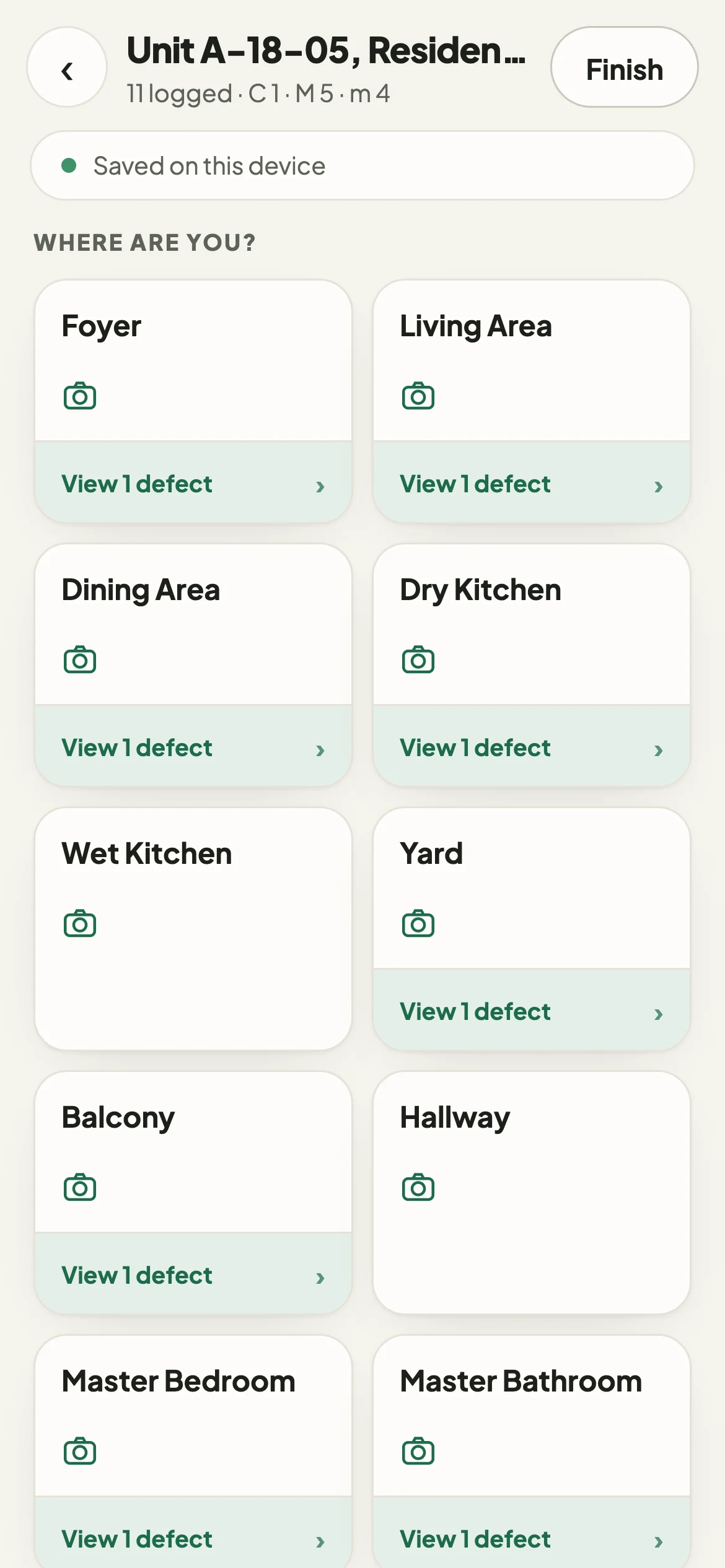
Choose the location
Tap the room you are in. Findings you record are filed under that room.
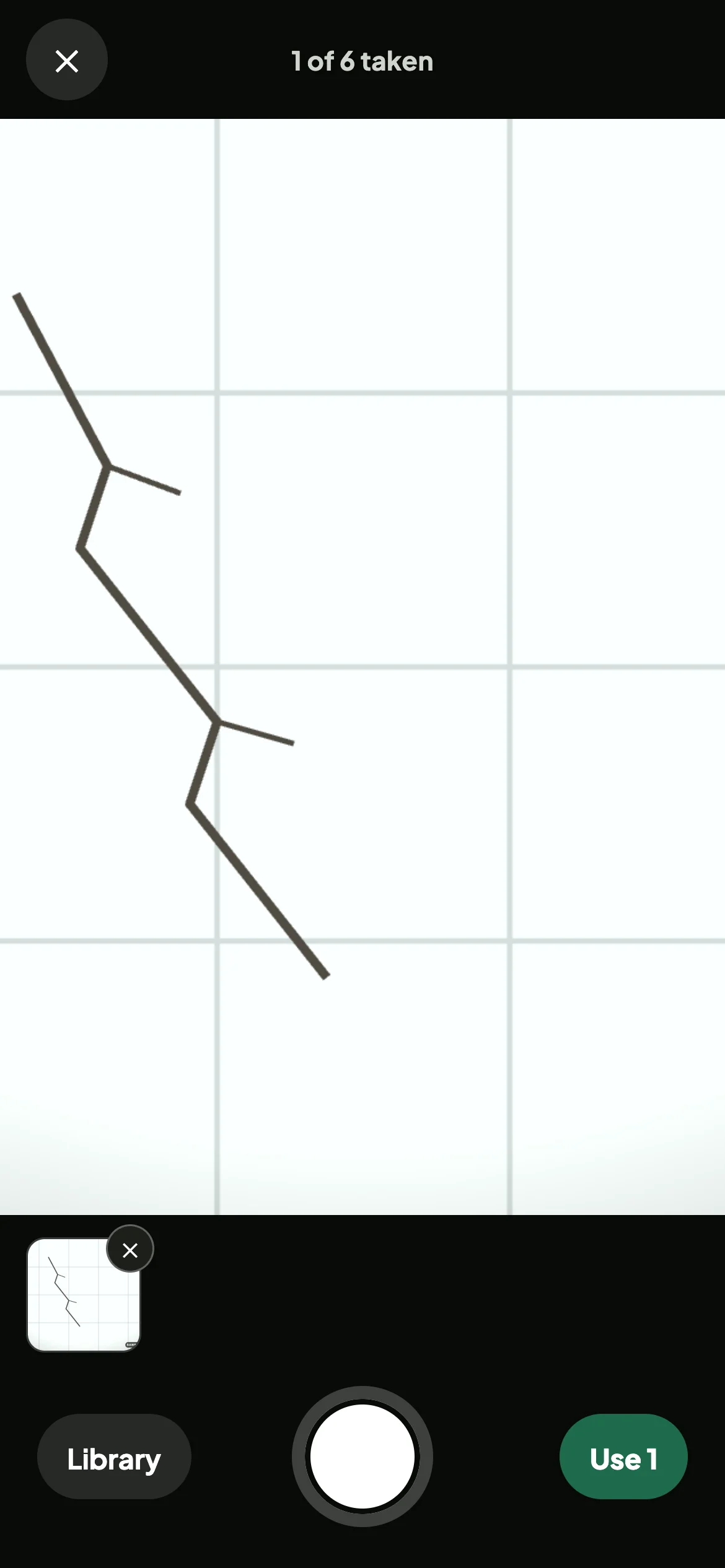
Capture the evidence
The camera opens immediately. Take one or more photographs.
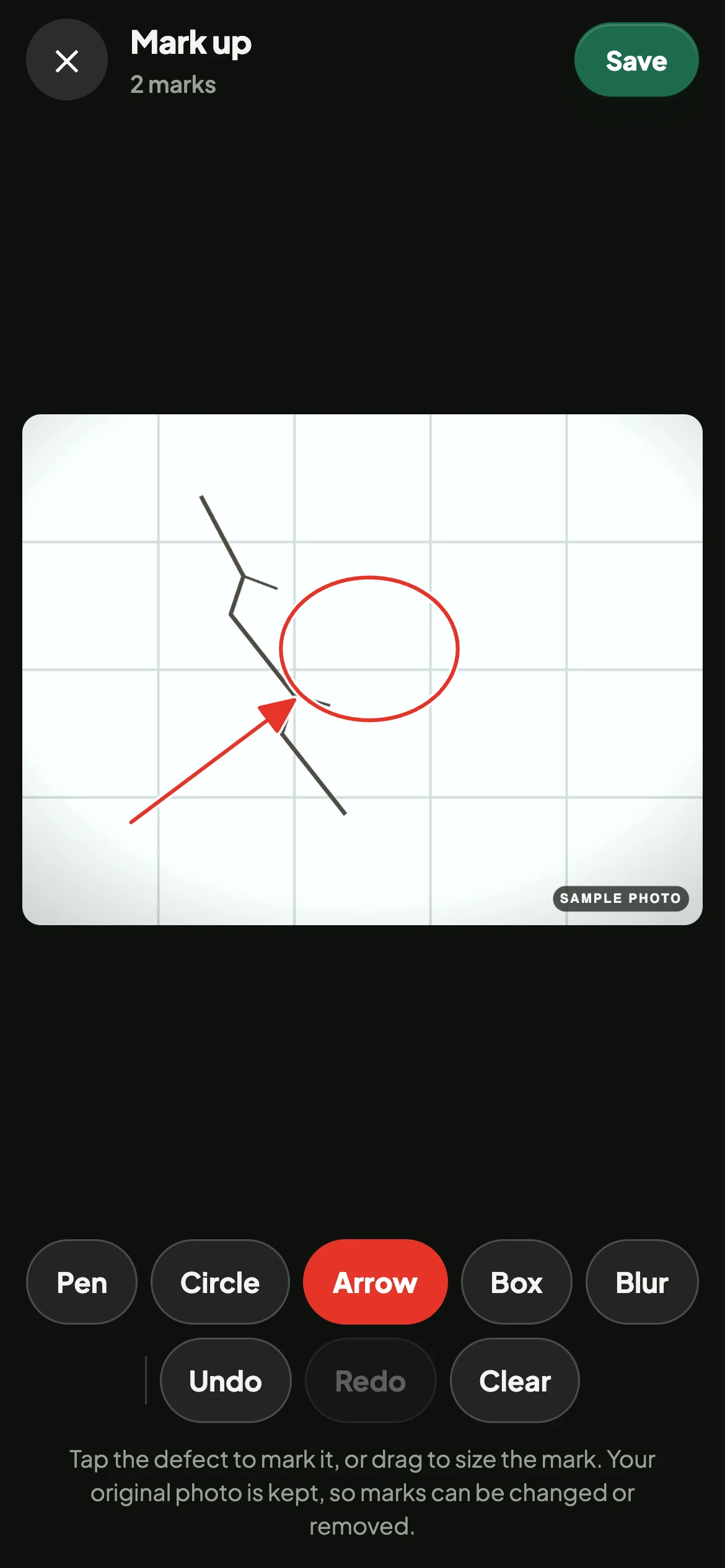
Classify and mark the defect
Select the element and the defect type, then mark the defect on the photograph.
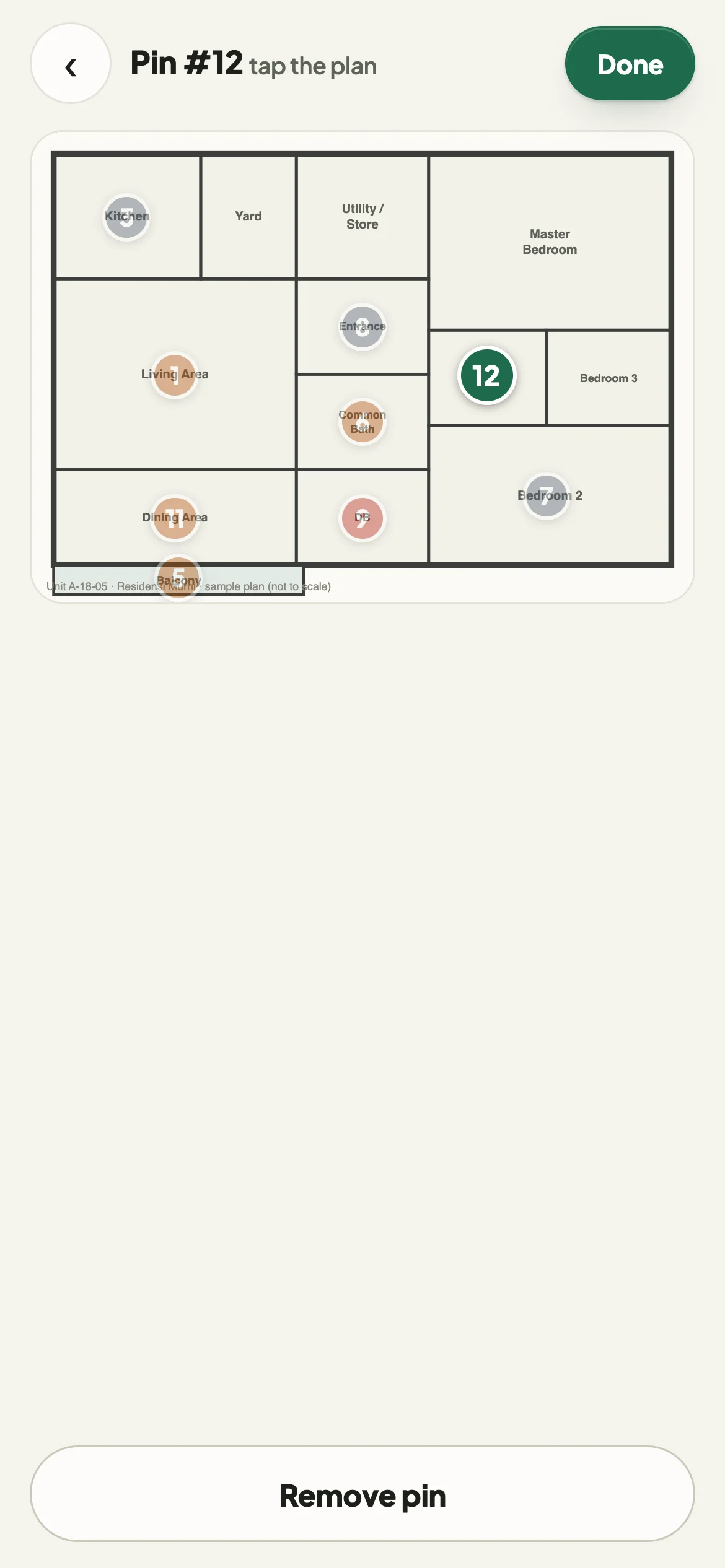
Place the floor-plan pin
Tap the plan where the defect is. The report shows it in the same place.
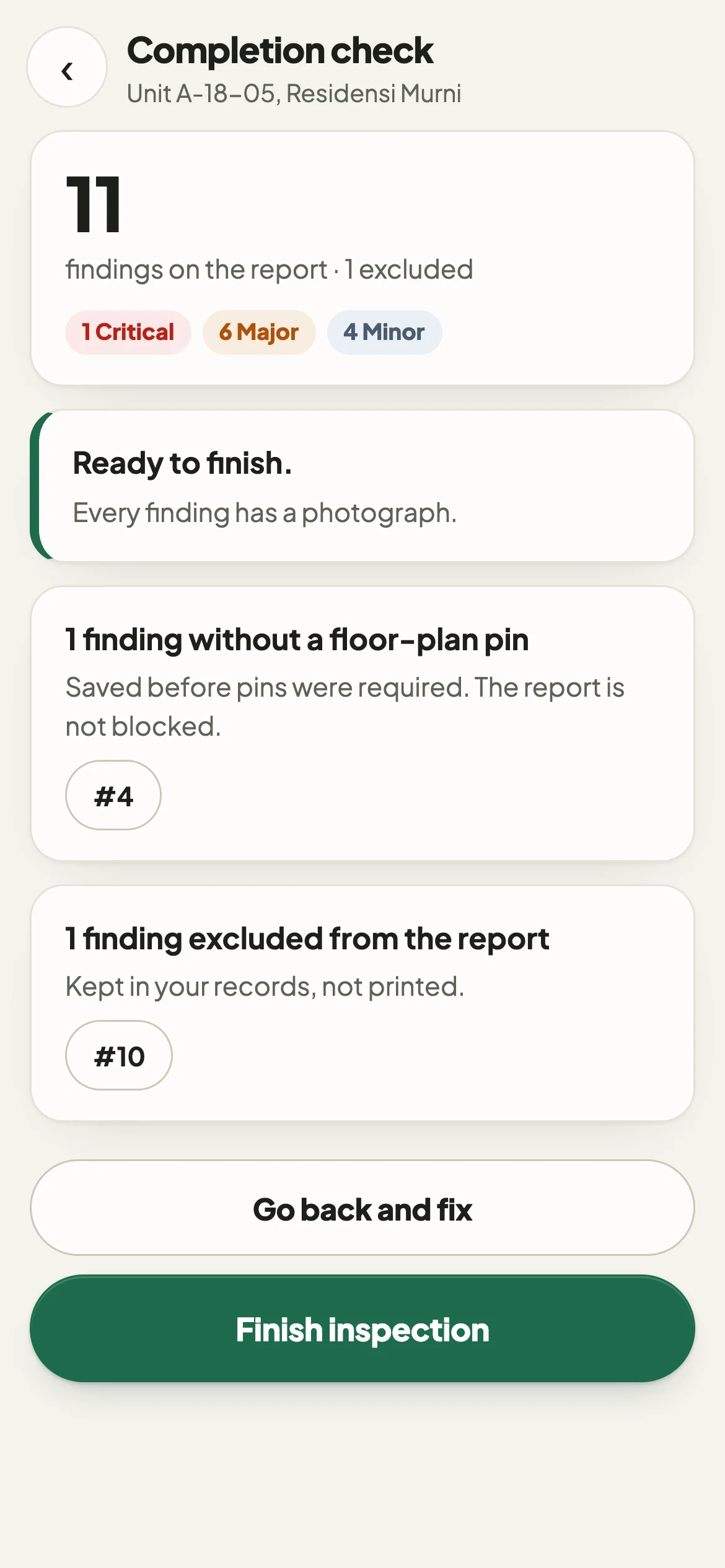
Check before leaving
Periksa lists any finding without a photograph or a pin while you are still at the unit.
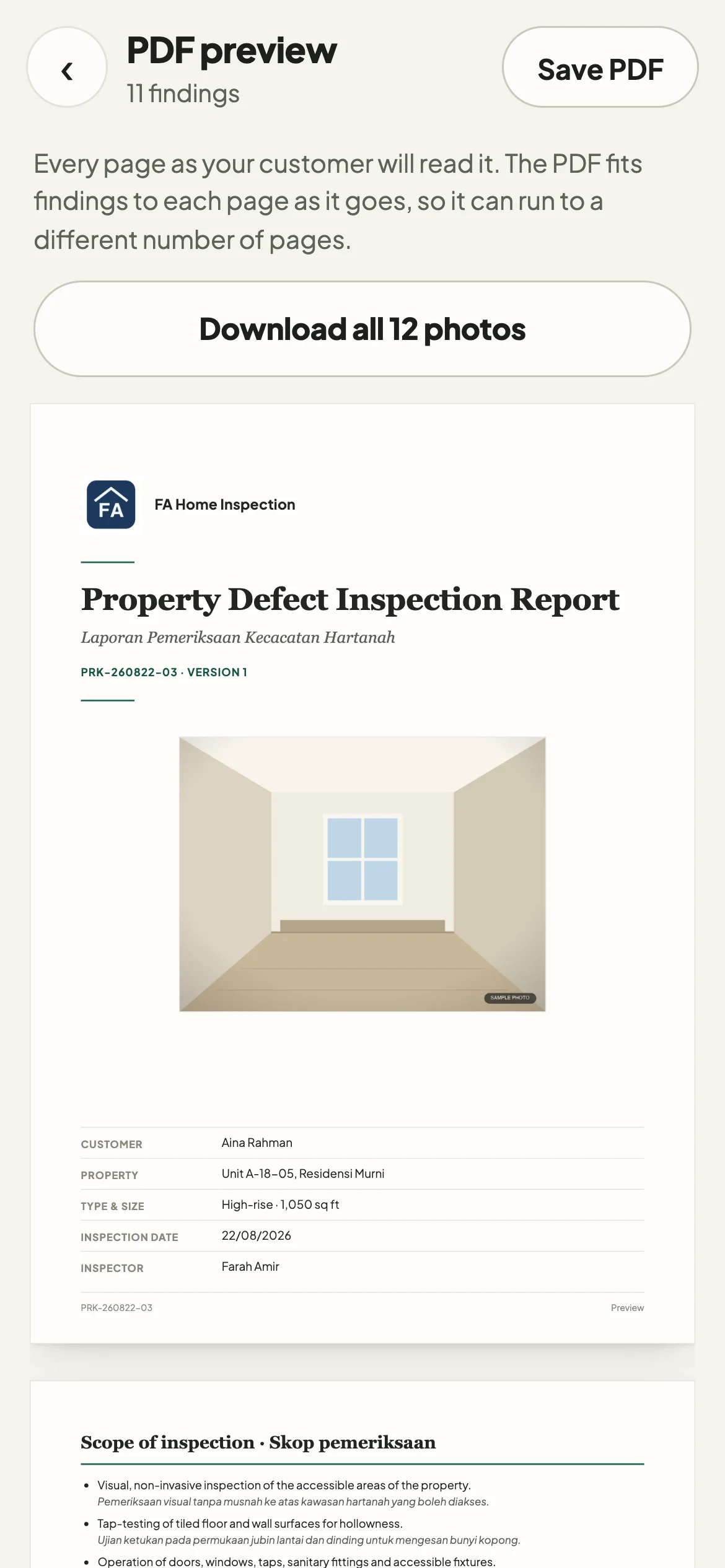
Preview the finished report
Open the PDF preview on your phone, then send it to the client.
Select from lists instead of typing
Choose the location, element and defect, and Periksa fills in starter wording that you can edit.
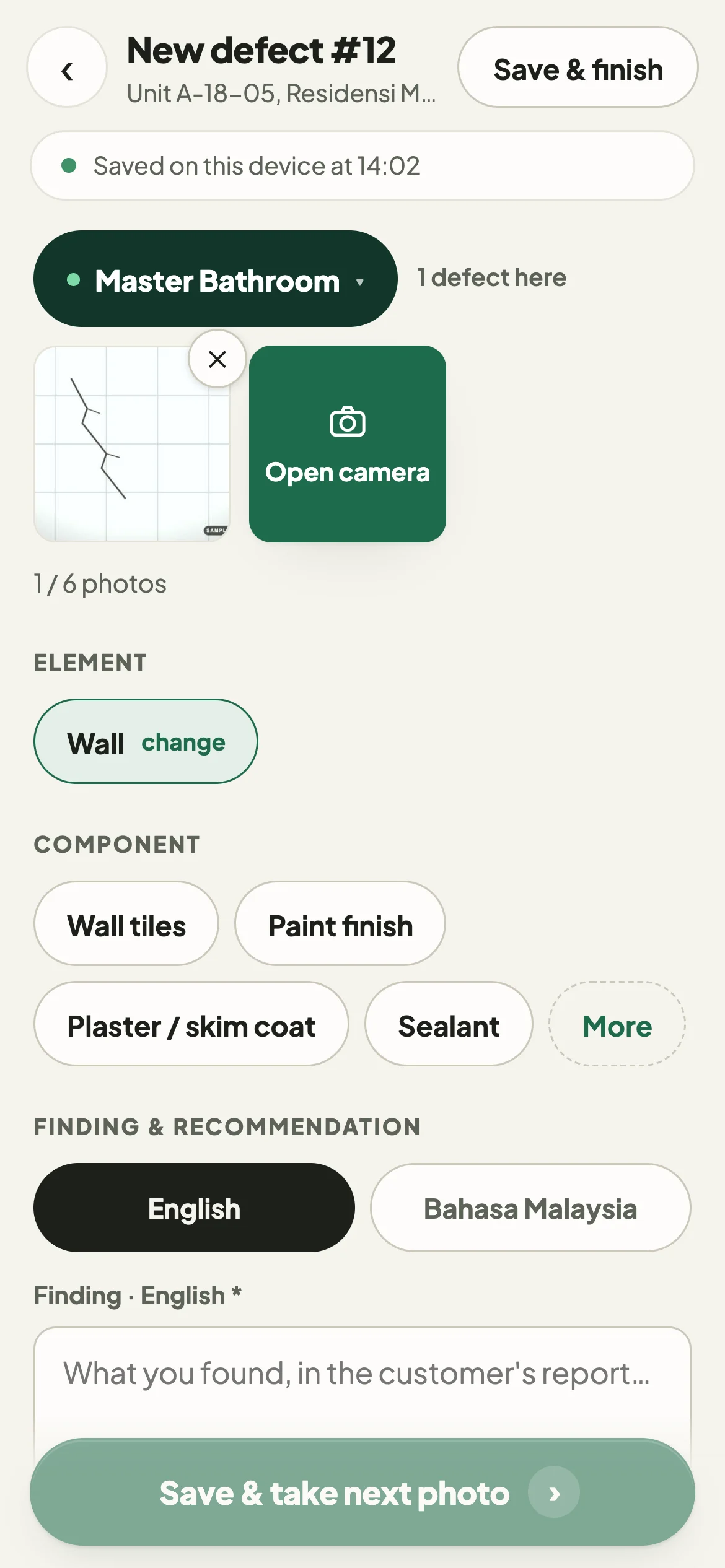
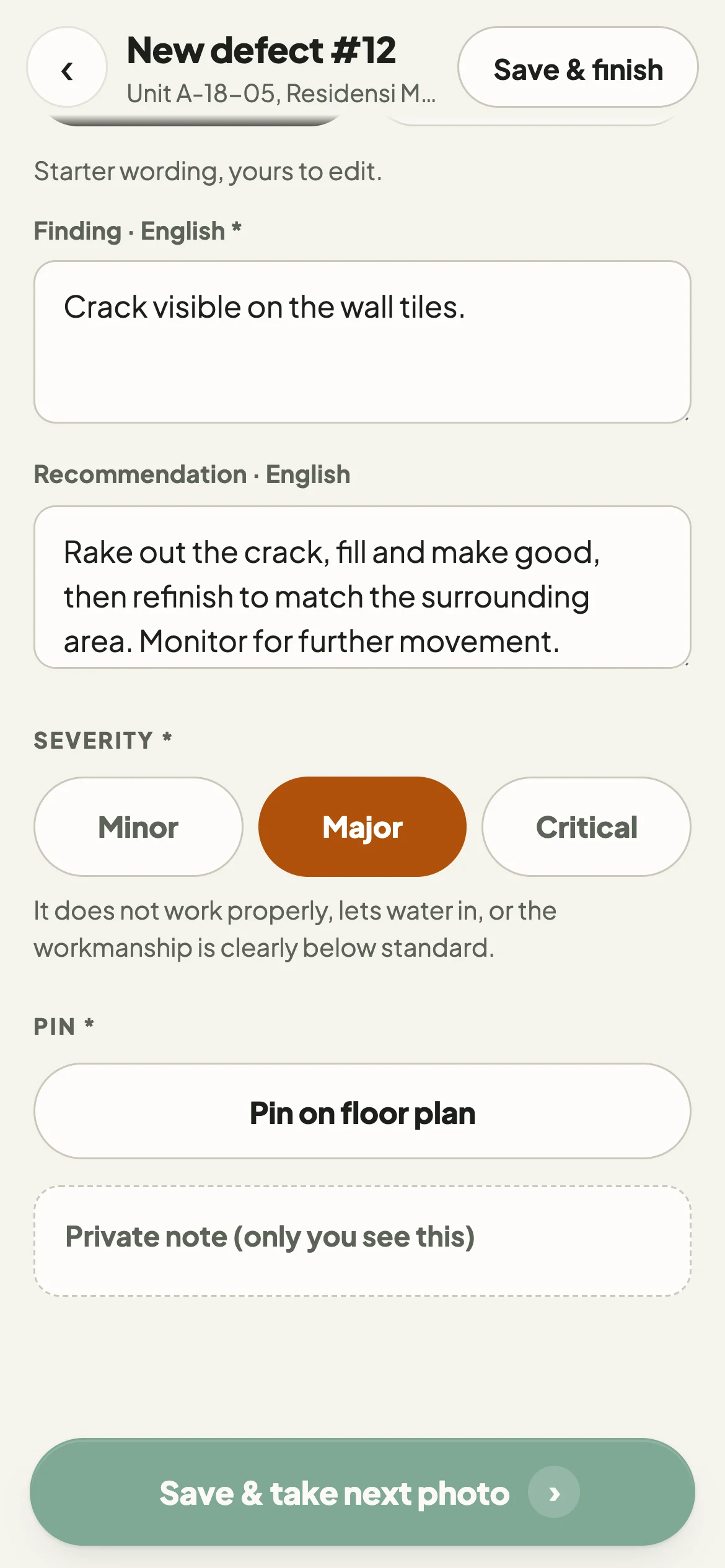
Lists follow the room
In a bathroom, bathroom elements are listed first.
Element, component, defect type
For example: wall, wall tiles, crack. Every finding is recorded the same way.
Editable starter wording
A finding and a recommendation are suggested in English and Bahasa Malaysia. You can change both.
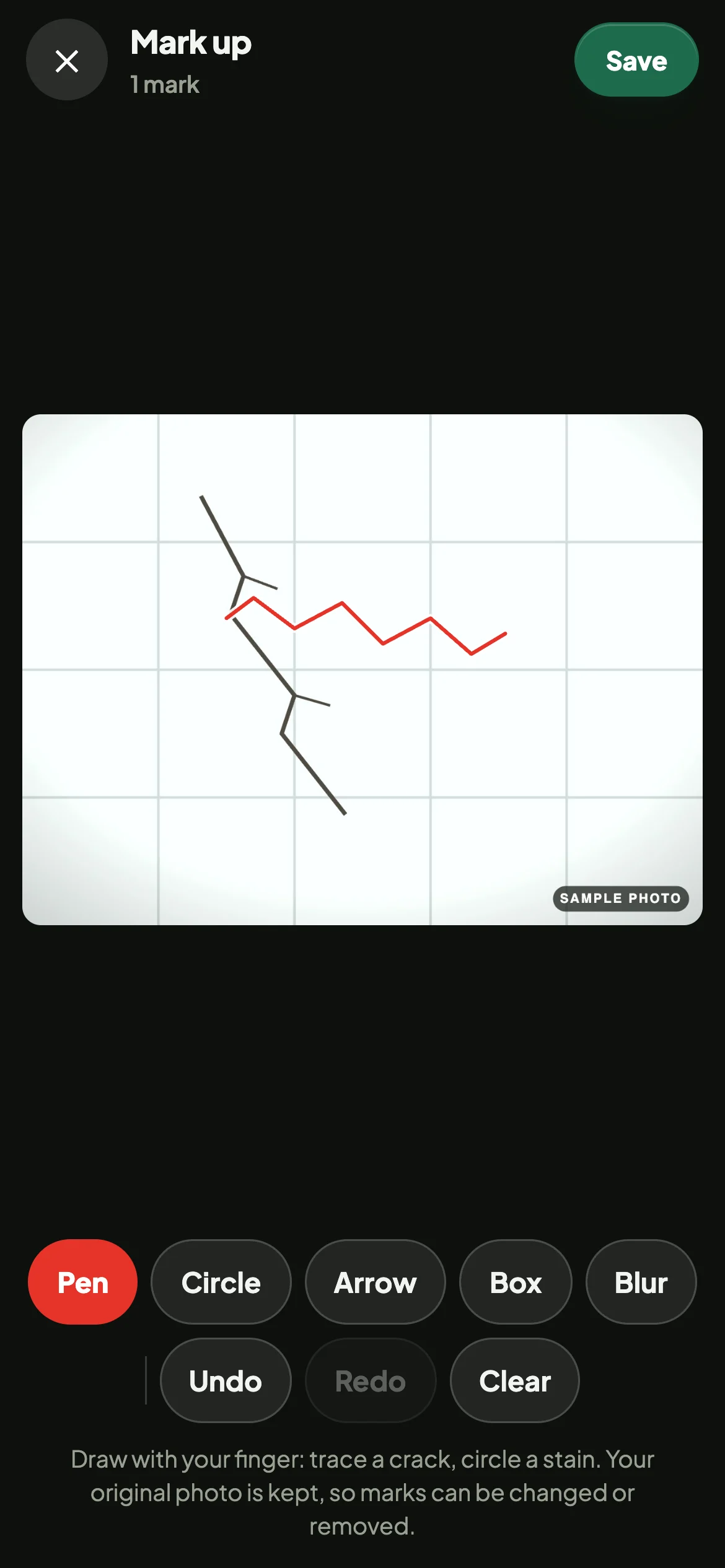
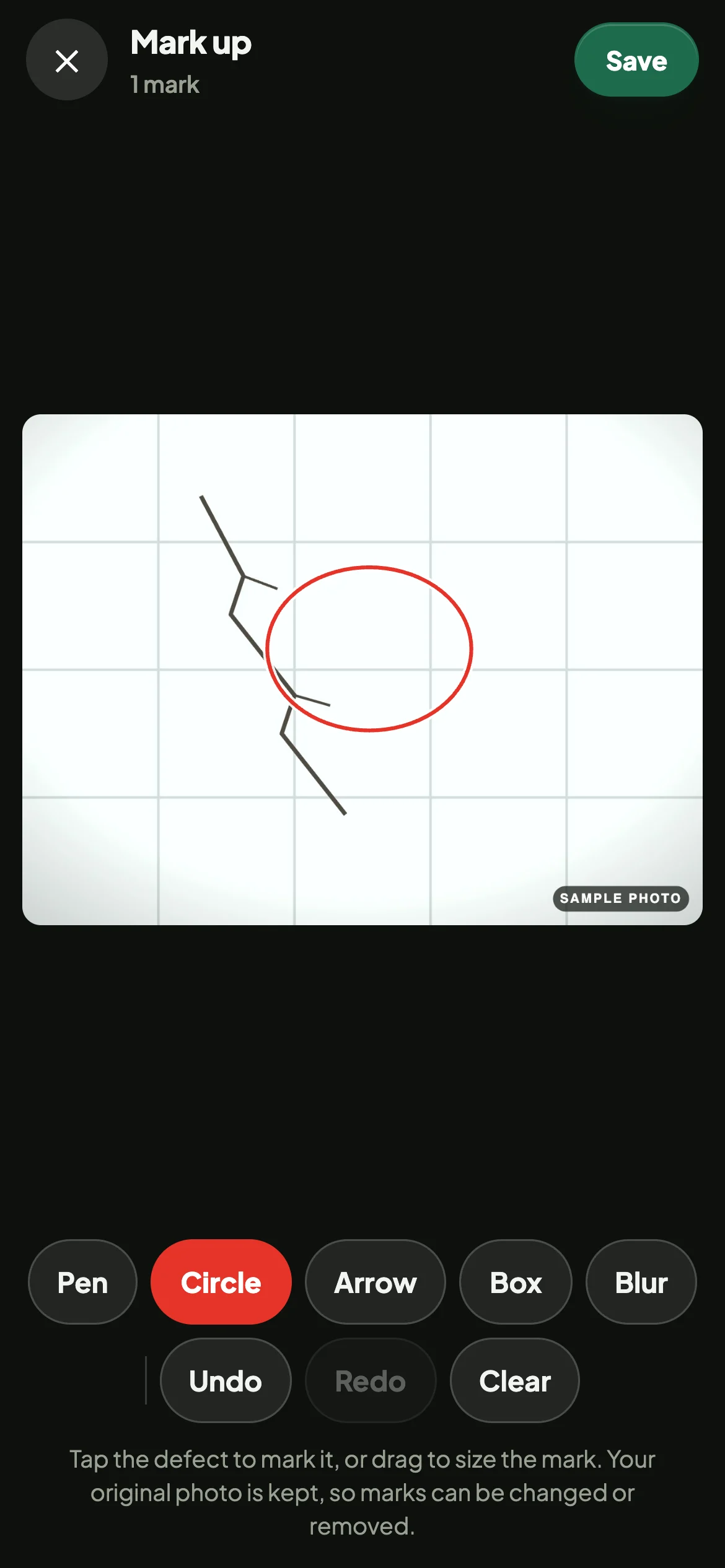
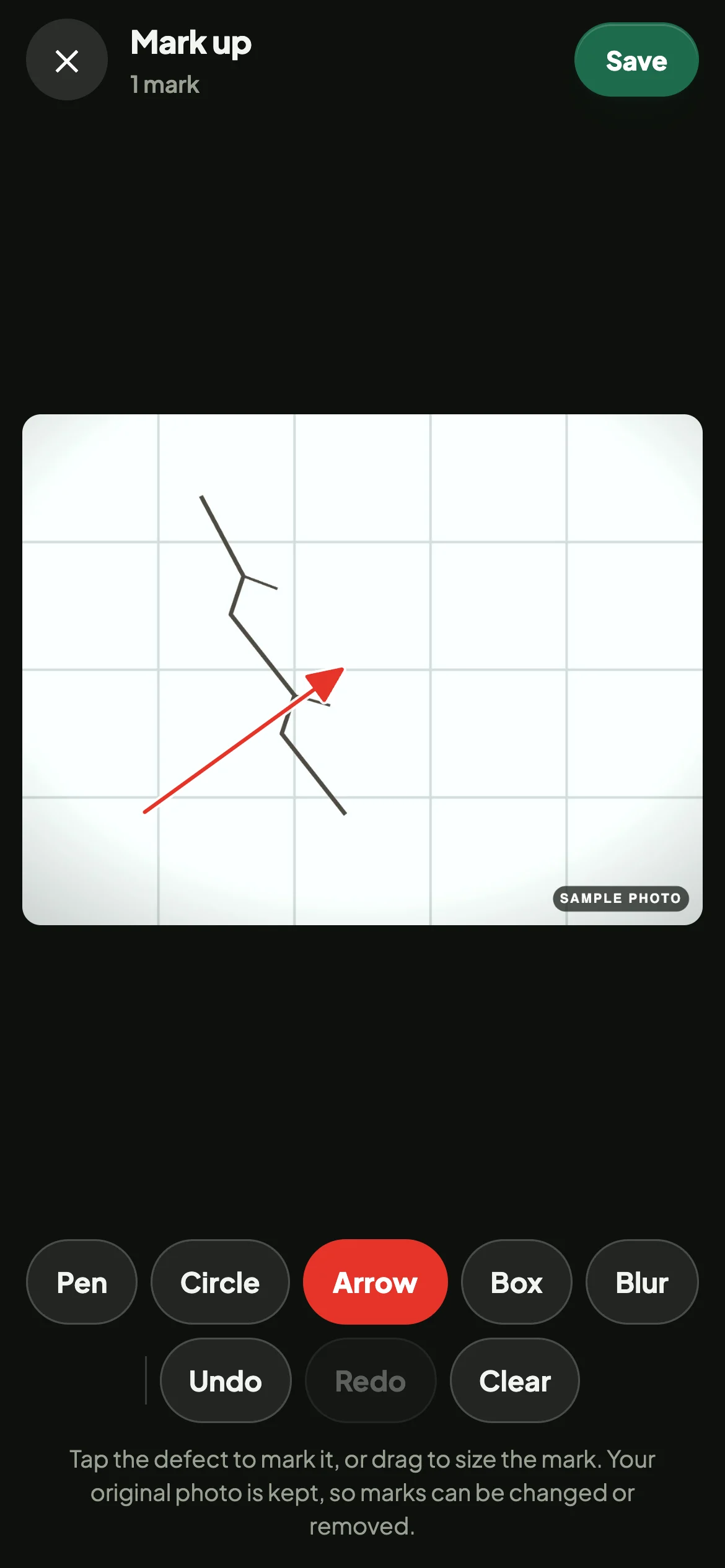
Mark up photographs
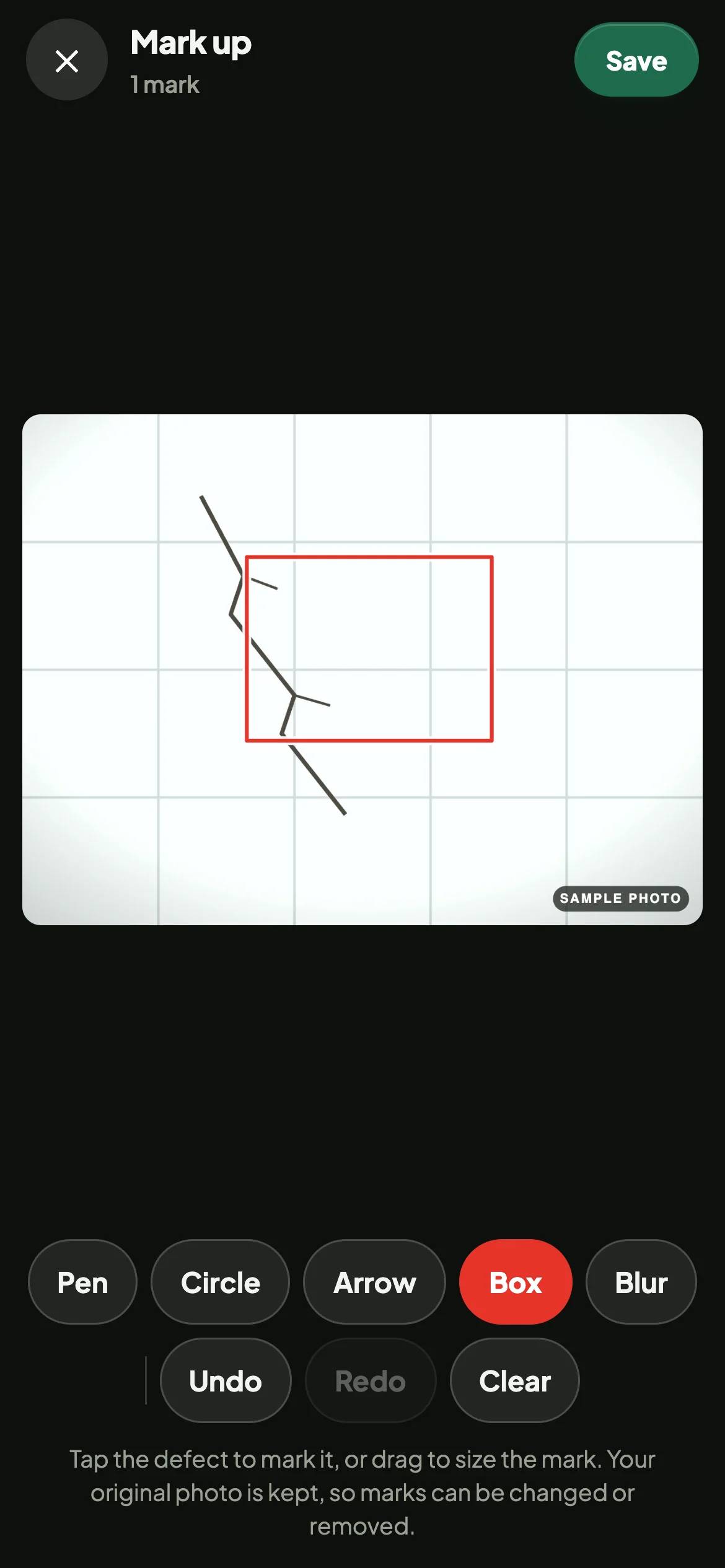
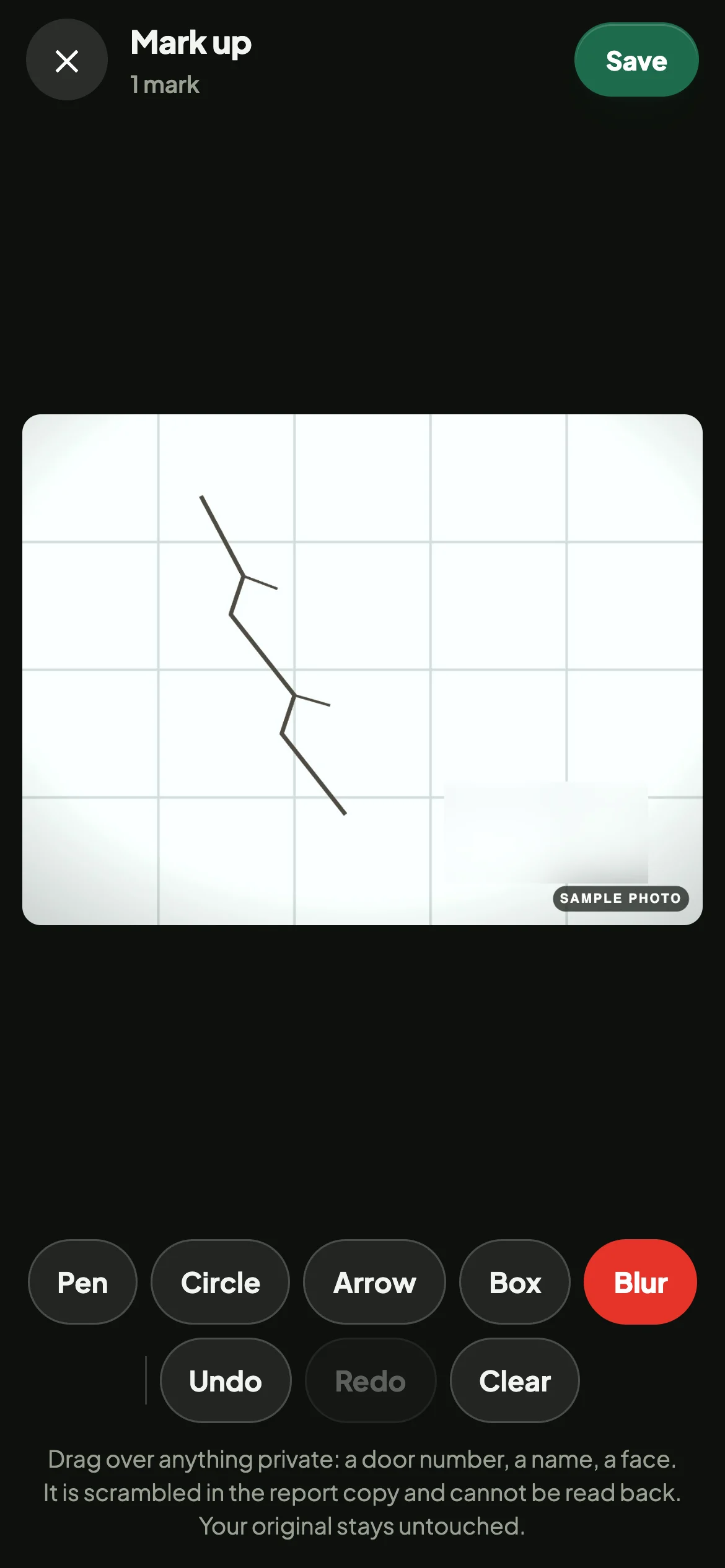
Mark the affected area on each photograph. Every photograph stays with its finding.
Circle. Tap to mark, or drag to set the size.
- Up to six photographs per findingA counter shows how many have been added.
- Camera or photo libraryTake photographs in the app or choose existing ones.
- Originals are keptMarks are saved on a copy and can be changed or removed later.
Pin findings to a floor plan
Add a floor plan and show where each defect is in the report.
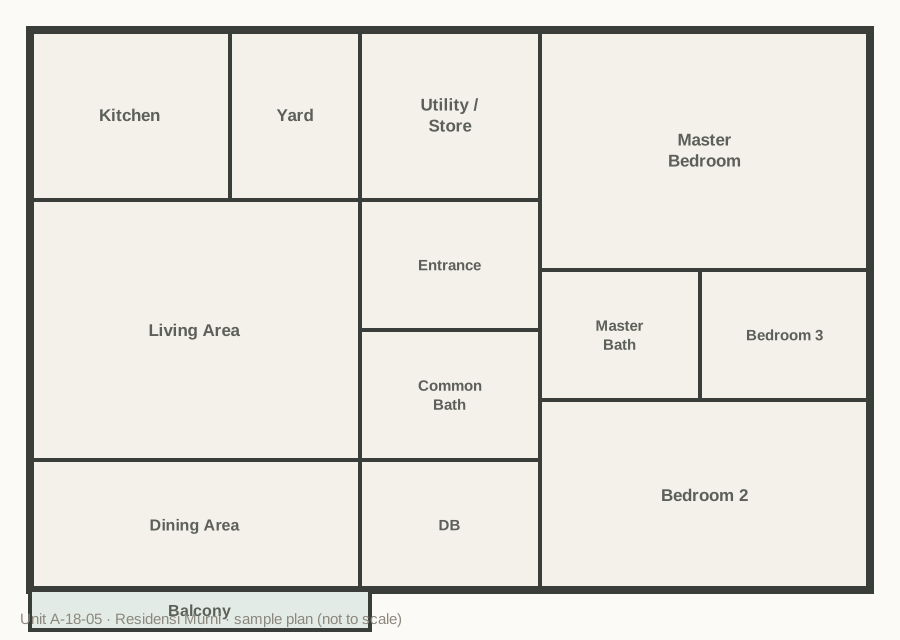
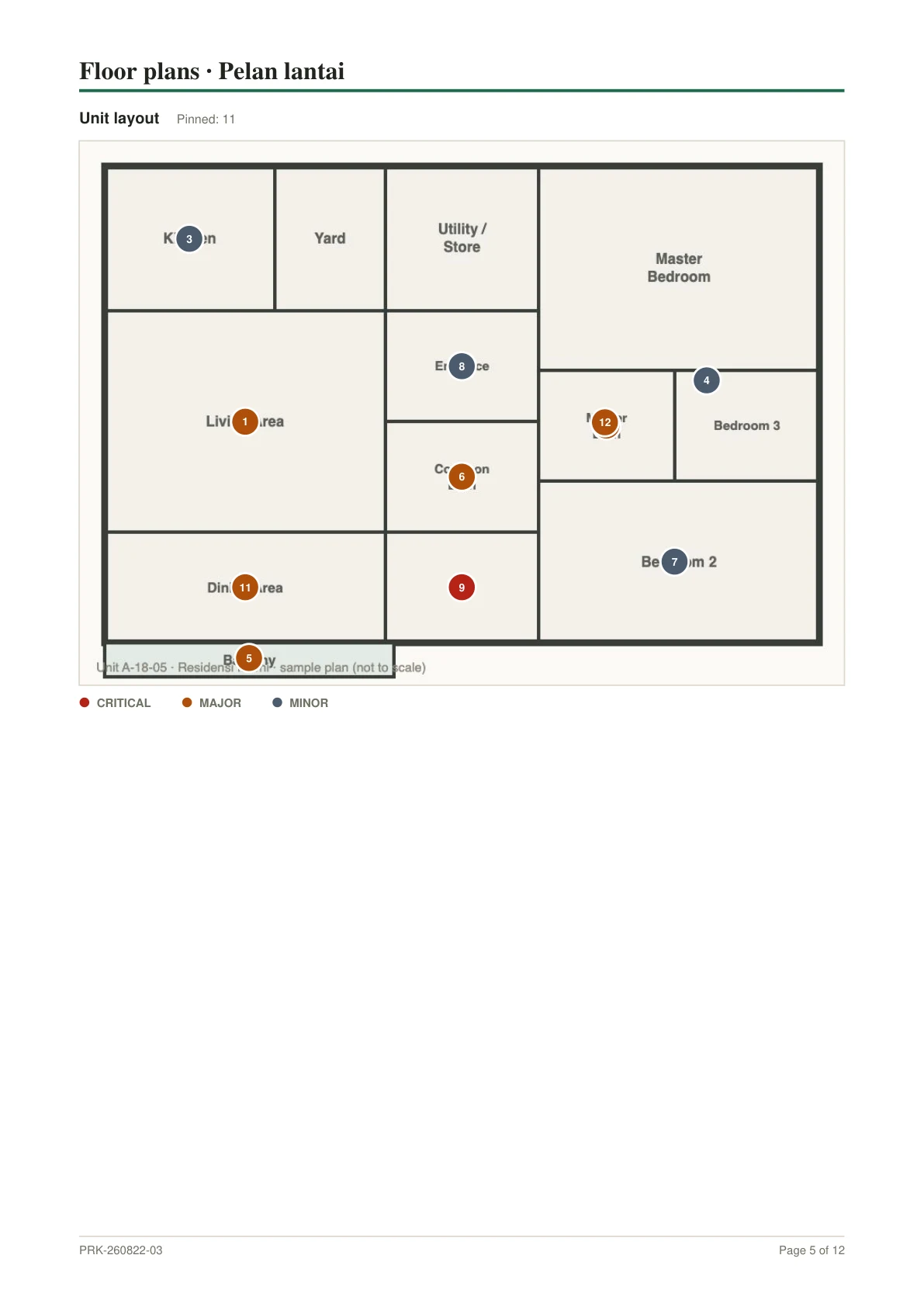
If a job has a floor plan, each finding must be pinned before it is saved. The report includes the plan with numbered pins.
- Critical
- Major
- Minor
Completion check
Periksa checks for missing information while you are still at the unit.
A photograph is required when a finding is saved. The check also lists older records without one, findings without a pin, and findings excluded from the report.
PDF reports
Periksa produces a client-ready PDF from your inspection record.
- Cover with the unit photograph and your branding
- Summary by severity and by room
- Floor plan with numbered pins
- Every finding with its photographs, in English and Bahasa Malaysia
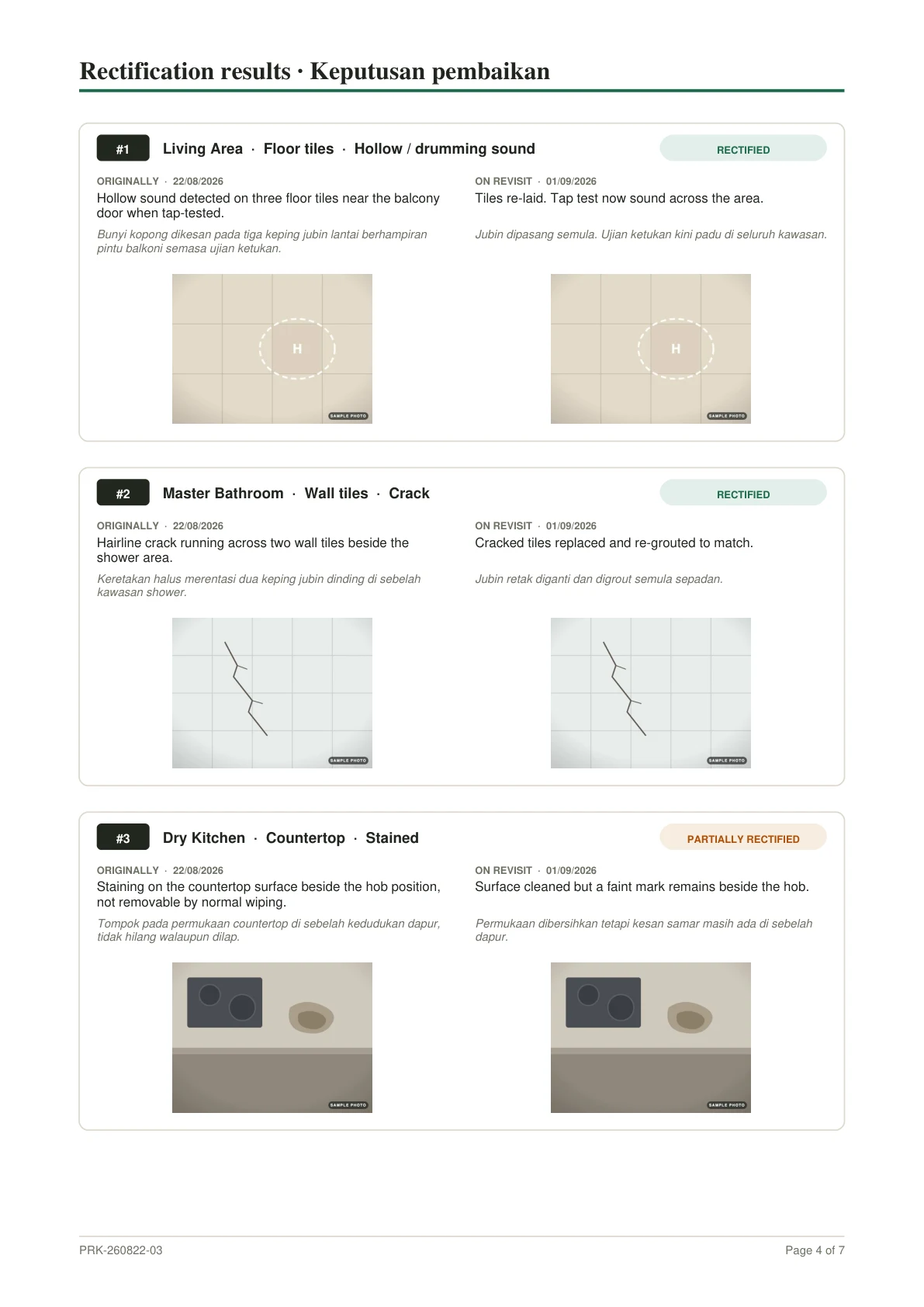
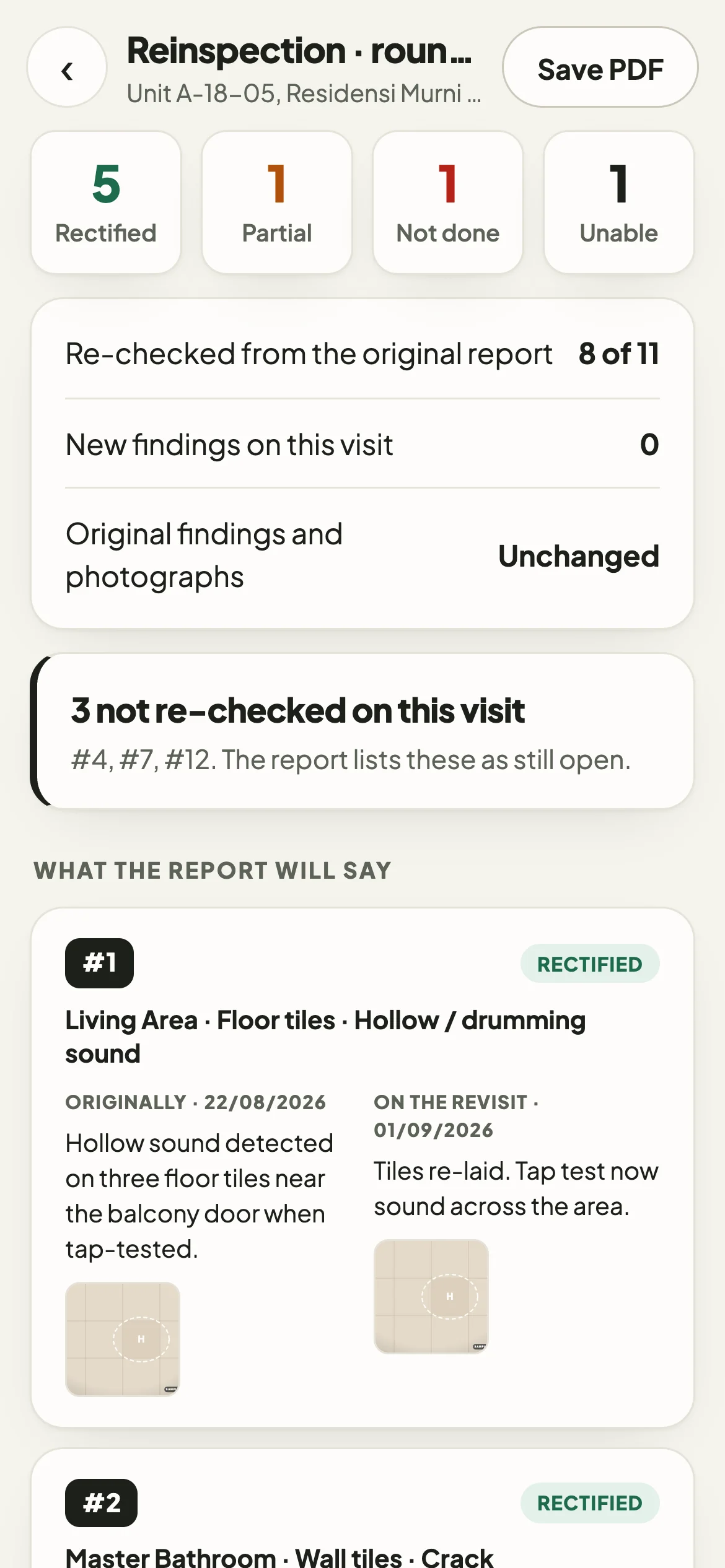
- Reinspection report, showing what has been rectified
- A PDF with selectable text, small enough to send on WhatsApp.
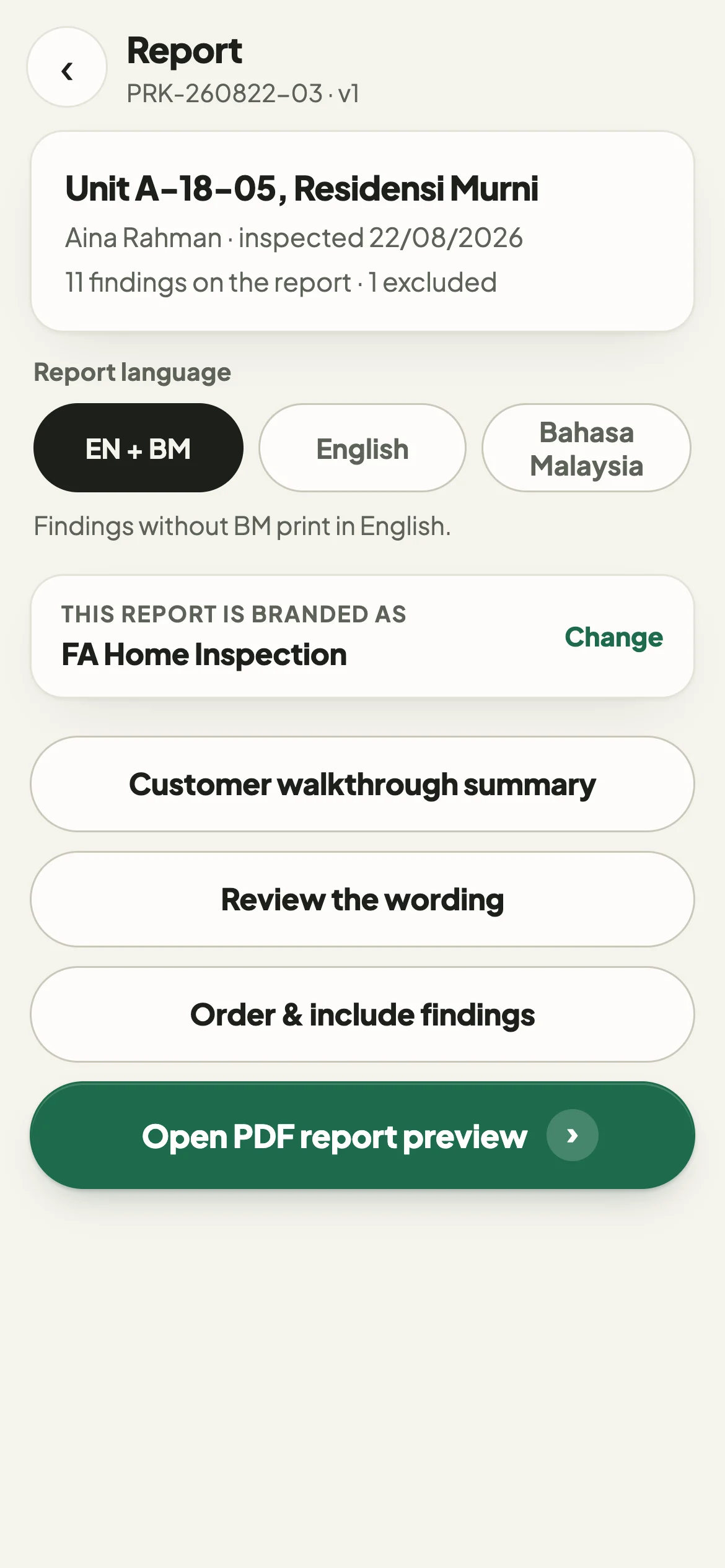
- English, Bahasa Malaysia, or both in one document.
- Cover, scope, summary, findings, floor plans, declaration and signature.
Features
On-site capture
Select the room, take the photograph and choose the defect, then continue to the next one.
Photographs stay with findings
Each photograph is saved against its finding.
Consistent reporting
Every report uses the same structure: cover, summary, findings, floor plans and declaration.
English and Bahasa Malaysia
Reports can be in English, Bahasa Malaysia or both.
Works offline
The inspection runs on the phone. Only signing in and subscribing need a connection.
Your branding
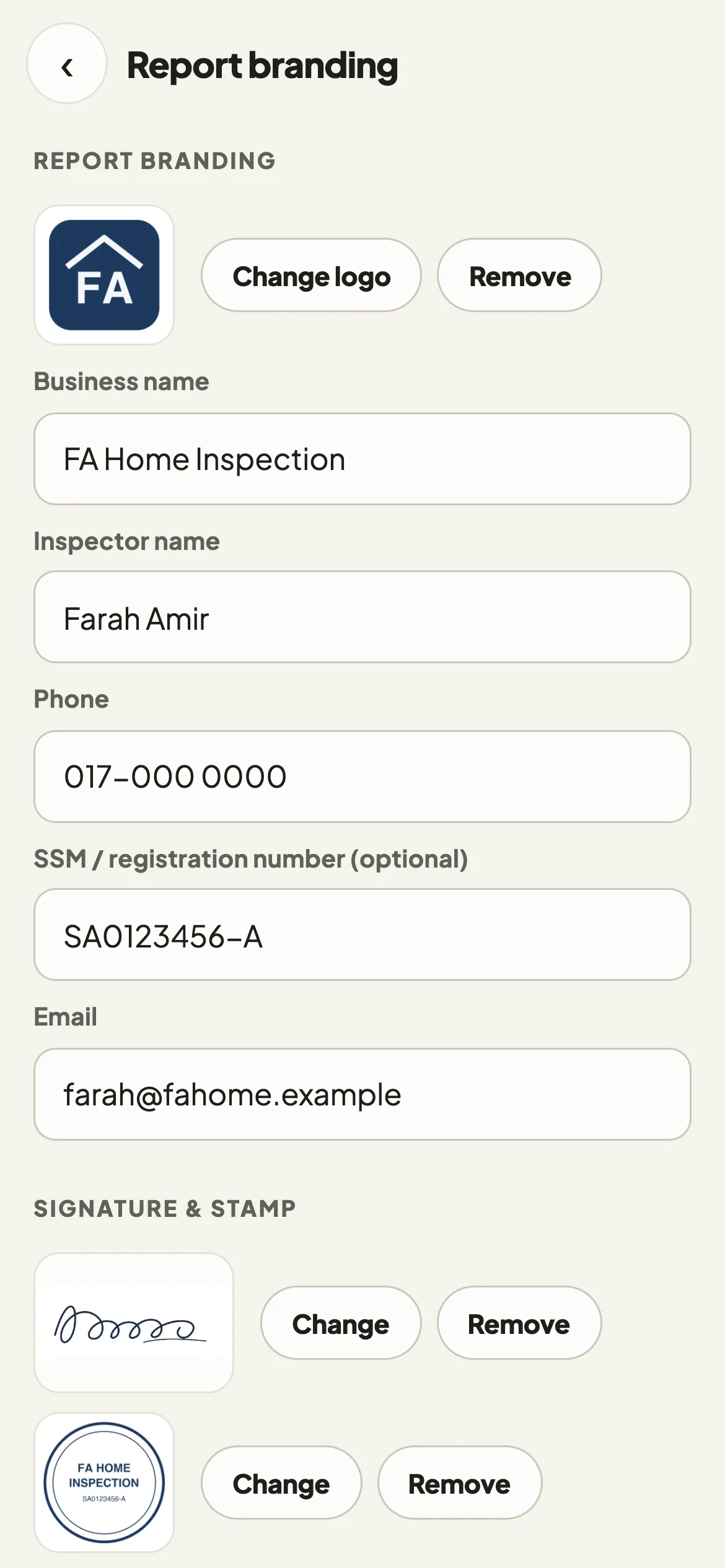
Each report can carry your business name, registration number, logo, signature and stamp.
Reinspections
Record what has been rectified on a return visit and issue a rectification report.
Records stay on your device
Inspection records and photographs remain on your phone. Your account and subscription use an online service.
Pricing
Periksa is free to download and the first inspection is free. A subscription is needed for further inspections and client-ready PDF reports.
The free inspection includes the full report on screen, marked TRIAL COPY. It does not produce a PDF file.
Download on the App StoreMonthly
RM 39.90
a month
Yearly
RM 399.90
a year
Both plans include unlimited inspections and unlimited client-ready PDF reports.
Payment is charged to your Apple Account. The subscription renews automatically unless it is cancelled at least 24 hours before the end of the current period. You can manage or cancel it in your Apple Account settings.
Periksa for Android
Periksa is currently available on iPhone only. Join the waiting list and we will let you know when the Android version is available.
Frequently asked questions
What is Periksa?
A phone app for residential defect inspections. You record findings and photographs on site and produce a PDF report from the same record.
Who is it for?
Freelance defect inspectors and very small inspection teams in Malaysia.
Is Periksa available now?
Yes, on iPhone, from the App Store in Malaysia. An Android version is not available yet.
How much does it cost?
Periksa is free to download and the first inspection is free. After that, Periksa Pro is RM 39.90 a month or RM 399.90 a year. Both plans include the same features.
What do I get in the free inspection?
One inspection with full use of the camera and mark-up tools, and the report to read on screen, marked TRIAL COPY. It does not produce a PDF file. You sign in with your email address to claim it.
Can I cancel my subscription?
Yes, at any time in your Apple Account settings. Cancelling stops the next charge, and you keep access to the end of the period you have paid for.
What happens if my subscription ends?
Nothing on your phone is deleted. Your inspections, photographs and on-screen report previews stay. Starting a new inspection and producing new client-ready PDF reports need an active subscription.
Does it work without internet?
Yes. Inspections, photographs, mark-up, floor-plan pins and the PDF all work offline. Signing in and subscribing need a connection.
Can I create bilingual reports?
Yes. Each report can be English, Bahasa Malaysia, or both. A finding with no Malay wording prints in English.
Can I use my own branding?
Yes. Your business name, registration number, logo, signature and stamp go on the report. You can also set the report title and accent colour.
What happens to my inspection data?
Inspection records and photographs stay on your phone. Periksa sends only your email address, to hold your free inspection, and the App Store handles the subscription. You can erase everything from Settings.
Is there an Android version?
Not yet. You can join the waiting list on this page, or email support@rintova.com.